 Excalidraw Drive Sync
Getting started
From first sketch to Saved.
Install, connect your Google Drive, and keep drawing. Here’s the path from a blank canvas to an idea you can come back to.
Add to Chrome
Install Excalidraw Drive Sync from the Chrome Web Store. Then open excalidraw.com. If the page was open during installation, reload it.
Look for the pen-and-cloud pill beside Share. On a narrow window it can shrink to the icon and a status dot. Click it to open the panel.
Connect your Google Drive
- Open the pill beside Share.
- Choose Sign in with Google and follow Google’s sign-in steps.
- Allow the requested per-file Drive access. The extension uses your Excalidraw Projects folder.
Chrome handles sign-in. The extension never receives your password and does not get general access to your entire Drive. See why each permission is needed.
Draw, name, and check
Draw as usual. Follow the in-panel naming question when it appears. Auto-save is on by default after connecting Drive. The current drawing stays tied to its own Drive file.
Watch the pill: Not on Drive yet means it hasn’t been saved to Drive, Unsaved changes means work is pending, Saving… means a save is underway, and Saved confirms it finished.
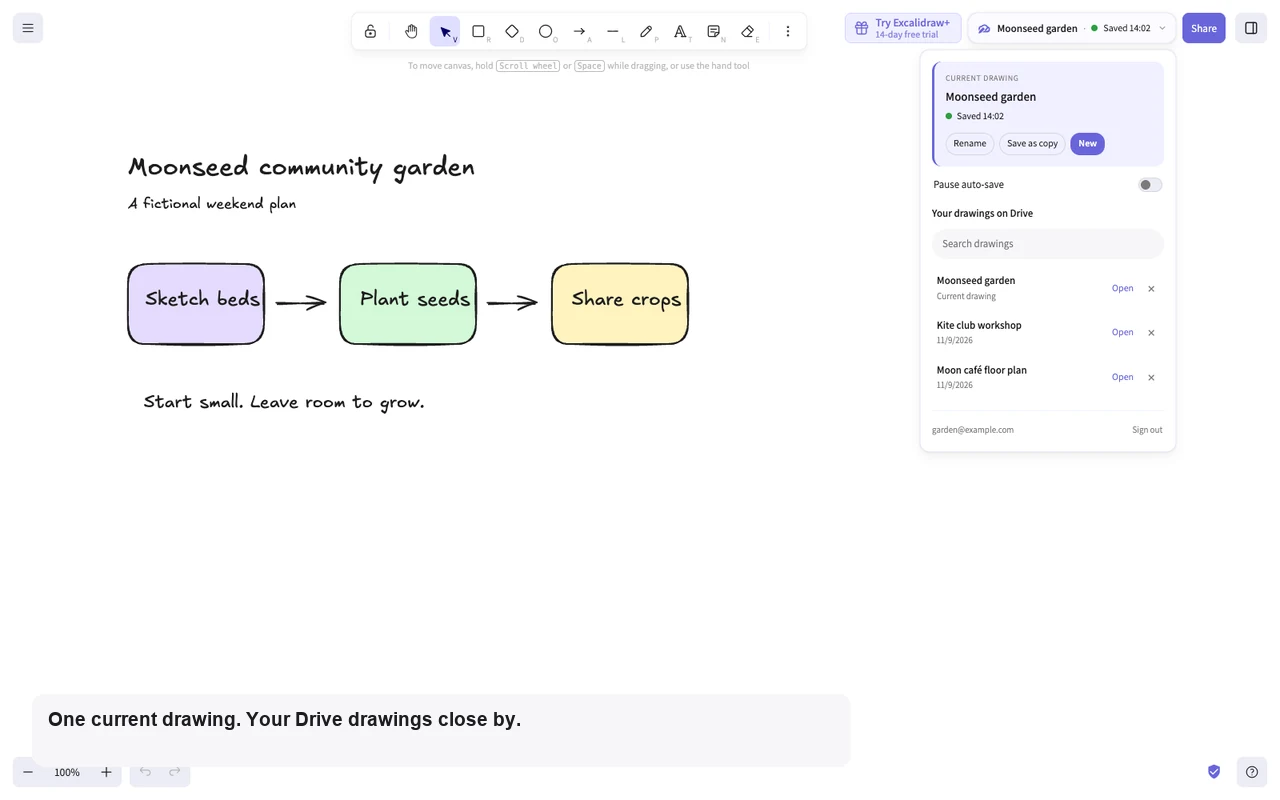
A few everyday moves
- Rename
- Change the name of the current drawing while keeping its Drive file link.
- Save as copy
- Create a separate drawing with its own Drive file, useful for a variation or a fresh direction.
- New
- Save your current drawing first, then start another one.
- Open
- Search the Drive list and choose a drawing. Your current work saves first, even when auto-save is paused.
- Pause auto-save
- Use the switch in the panel. New and Open still save the current drawing before switching.
- Chrome toolbar popup
- Open the extension from Chrome’s toolbar to search your drawings or return to the current one in Excalidraw.
When a question appears
Canvas is empty: choose whether to keep the Drive file or overwrite it with the empty canvas.
Edited on another device: choose which version to keep using the in-panel options. Read the question before continuing.
Live collaboration: leave the room before saving or switching drawings with this extension.
For another computer, install the extension there and connect the same Google account, then open your saved drawing from the Drive list. This is file-based saving, not live collaboration.