 AI Keyboard
Keep your key private. Do not share it or post it publicly. Anyone with it can use your Groq quota.
Steps
- Create a Groq accountGo to console.groq.com and sign up with Google, GitHub or email, or log in.
- Open the API Keys pageIn the console, open API Keys and choose Create API Key.
- Name it and submitGive it any name, for example “AI Keyboard”, set an expiration if you want one, and submit. The new key starts with
gsk_. - Copy it right awayGroq shows the full key once. If you lose it, delete it and create another.
- Paste it into AI KeyboardOpen Settings → Cloud & privacy → Groq connection (the setup wizard has the same field), paste the key and save.
Turn it on
- Dictation: Settings → Dictation → Speech provider → Groq Whisper (whisper-large-v3).
- Writing styles: Settings → AI cleanup → Groq. The recommended model is Groq-hosted GPT-OSS 20B. Use Fetch available models to pick another model your key can use, or enter a custom model ID.
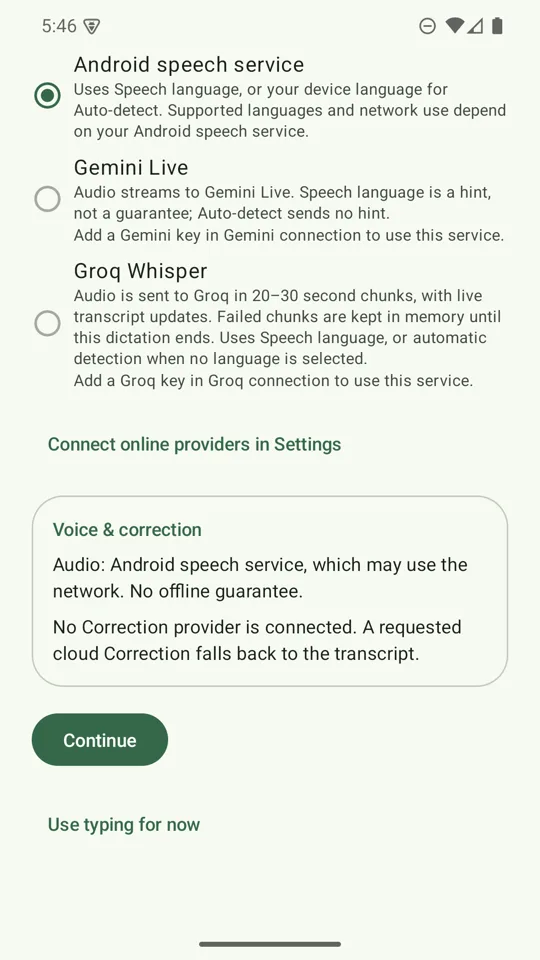
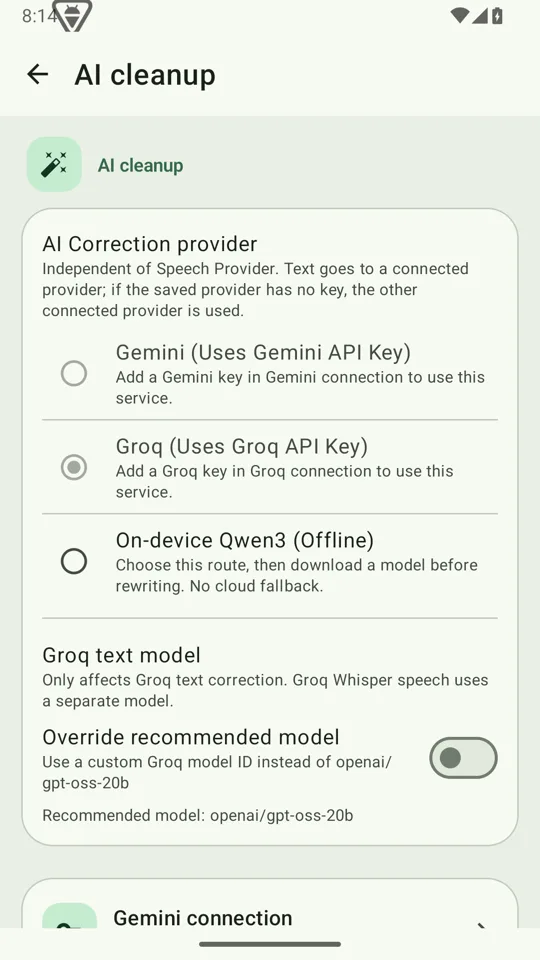
The keyboard also falls back to whichever provider has a key, so a Groq-only setup works for rewriting even if you never touch the AI cleanup page.
Cost and limits
Groq has a free plan with rate limits, and a paid developer plan billed by use. As of October 2026 its published rates for the models above are about $0.111 per hour of Whisper large-v3 audio and $0.075 / $0.30 per million input / output tokens for GPT-OSS 20B. See the cost estimator to turn that into a monthly figure, and check Groq's model page for current numbers and limits. Groq's console also lets you set spend limits.
What goes to Groq
When Groq is your speech provider, your audio is sent to Groq in short chunks while you speak. When it is your writing-style provider, the text you ask it to rewrite is sent. Both use your key and nothing passes through an AI Keyboard server. Groq's own policy applies to what it does next; see Groq's privacy policy.
Prefer not to send anything? Use offline dictation and the on-device writing model instead.